How to Fish Nivalis Nights: Rod, Controls & Fish
How to fish Nivalis Nights: at the Docks, get a free rod, equip it with inventory’s hand icon, face the water, and left-click to cast. On a yellow or amber bite, left-click again to reel in. PC controls are guide-reported; controller bindings and current-build behavior remain unverified.
On PC, press I, select the rod’s hand icon, and left-click to cast. Click again when the bite turns gold or amber. Check the Fish Log for target conditions; controller bindings and game build are unverified.
Playback and selected frames were checked in an isolated muted browser on October 10, 2026. The guide shows rod setup, the Fish Database, boat scanner and a Fishing level-up popup; its game build is unknown, and the footage is not an independent gameplay test.
BAGUETTEBOY · Source / open if playback failsOn this page
- Guidance
- Third-party guide reports and visually reviewed video frames
- Controls covered
- Reported PC mouse and keyboard inputs
- Game build
- Unknown; not independently tested
How to Fish Nivalis Nights: Get and Equip a Rod
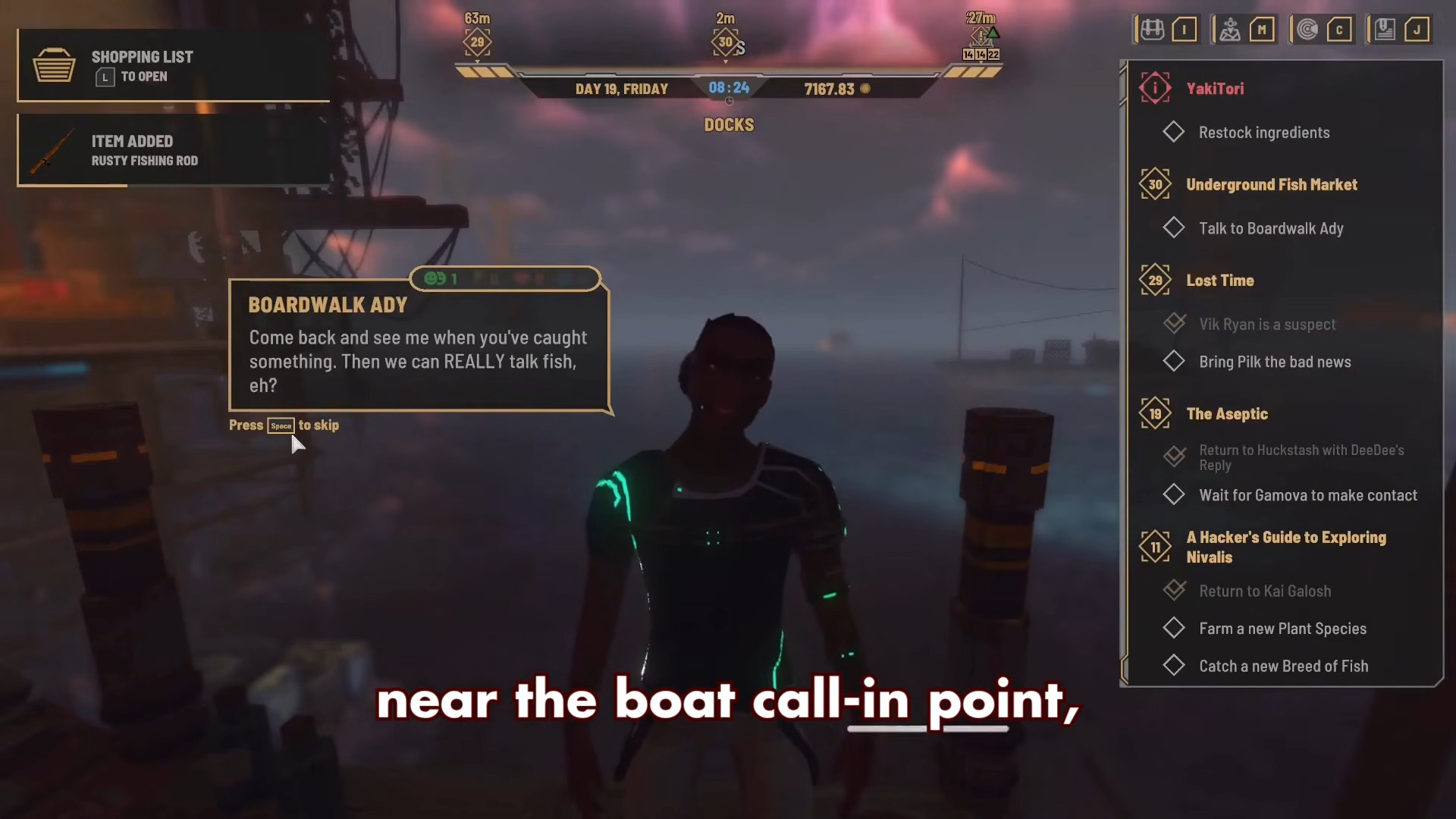
At 00:15, the video shows a Docks dialogue labeled Boardwalk Ady and an “Item Added: Rusty Fishing Rod” notice. Prima also reports a free rod. These are reports, not a current-build guarantee; follow your active objective.
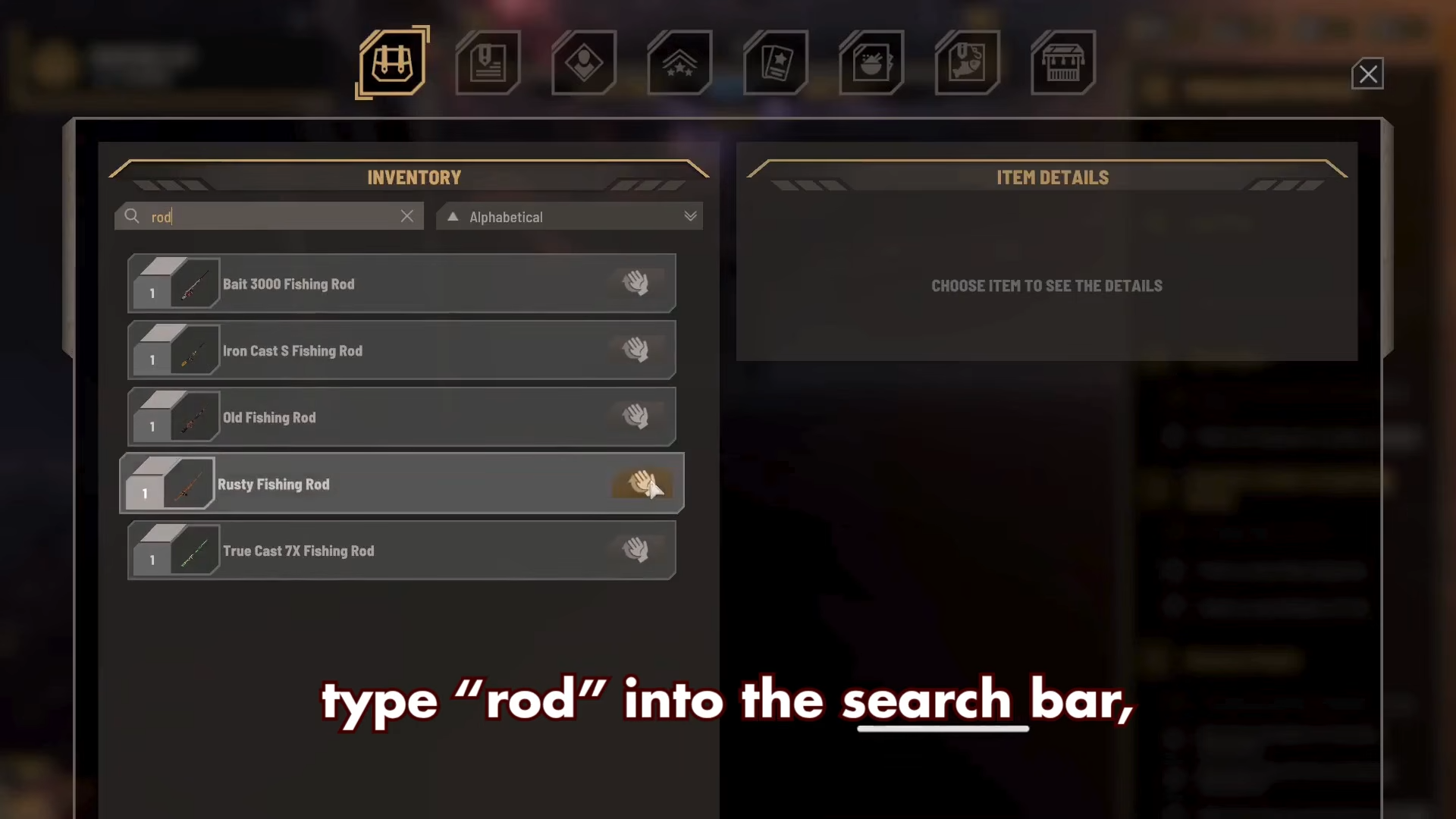
On PC, press I, find the rod, and click its hand icon. At 00:23, the video shows an inventory search for “rod” and hand icons beside the results. The guides describe shore fishing, so try the waterfront before waiting for a boat.
Go to the Docks
Go to the Docks and follow the piers to water.
Speak with the fishing NPC
Speak with the dockside fishing NPC. The clip labels the character Boardwalk Ady; the current name and quest trigger are unconfirmed.
Equip the rod
Press I, find the rod, and click its hand icon. It does not equip automatically in the guides. If inventory differs, check your active objective before buying another rod.
Cast, Wait for a Bite, and Reel In
Equip the rod, aim over water, and left-click to cast. The sources describe blue while waiting and gold or amber for a bite. Left-click again to reel; the catch may be a fish or another item.
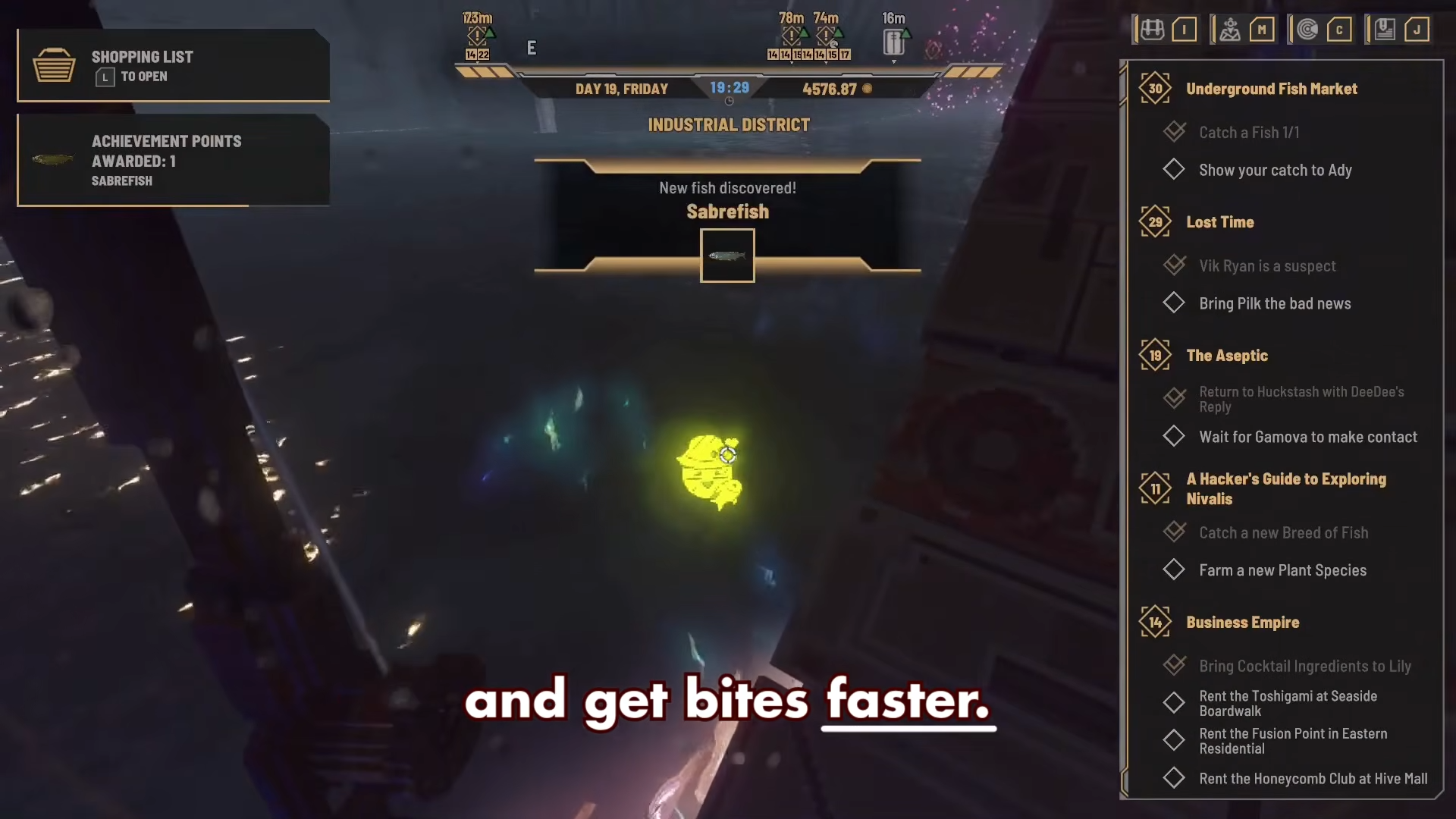
Green or yellow-green means a catch; red means a miss. At 00:40, the clip shows a Sabrefish discovery, not a guaranteed result. Prima also describes green-circle fishing spots with a floating rod icon; these do not promise a specific species.
Fishing Icon Colors at a Glance
The sources use gold or amber for the bite signal. This table condenses the reported colors and actions. If your prompt differs, follow the current on-screen instruction.
| Reported indicator | Reported meaning | Next action |
|---|---|---|
| Blue | The line is waiting for a bite. | Keep watching the indicator. |
| Gold or amber | Something is hooked. | Left-click to reel in. |
| Green or yellow-green | The catch succeeded. | Check the item and Fish Log. |
| Red | The attempt failed. | Cast again; the cause is not established. |
Find Fish With the Fish Log
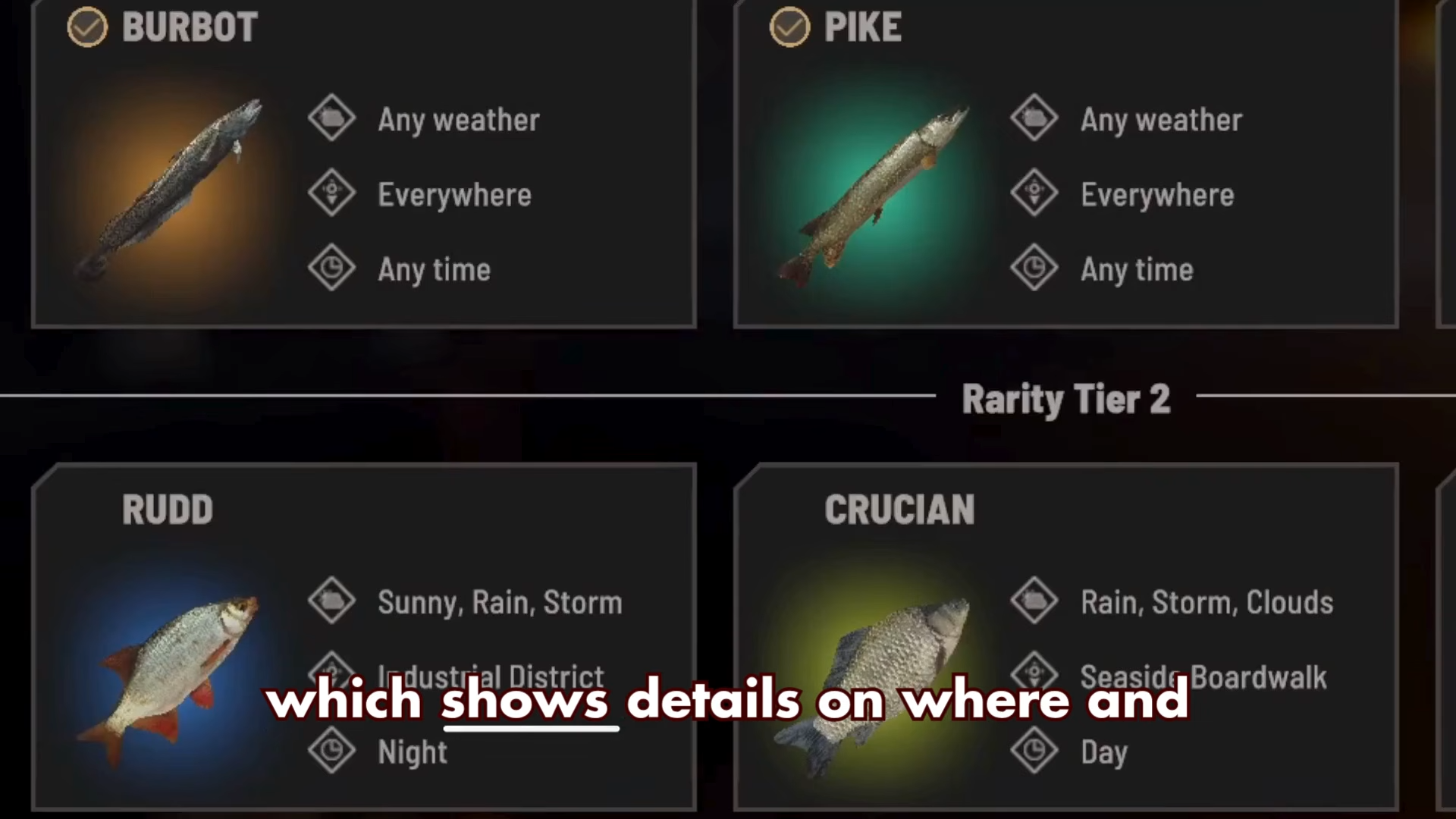
The supplied transcript says Tab opens a menu with the Fish Log under its fish icon. The checked video labels a similar screen “Fish Database” at 00:55. Prima and Whisper report species tied to locations and conditions such as time or weather. Check a target entry before traveling.
Prima reports three fish per rarity tier, with a completed row revealing the next. The supplied transcript describes the same progression. This and the complete roster have not been independently verified.
Prima says fish look distinct and may gather in schools; the transcript says their colors can match the Fish Log. Use fish or scanner activity to choose water, not as a species guarantee. Compare the entry’s district and conditions with your location; no full map or catch rate is supplied.
Fish From Your Boat and Read the Scanner
Prima links boat access to Salt Pete and the Seafaring quest at the Docks. The transcript says calling points require quest progress but does not show the full unlock chain. Follow your active objective before an offshore trip.
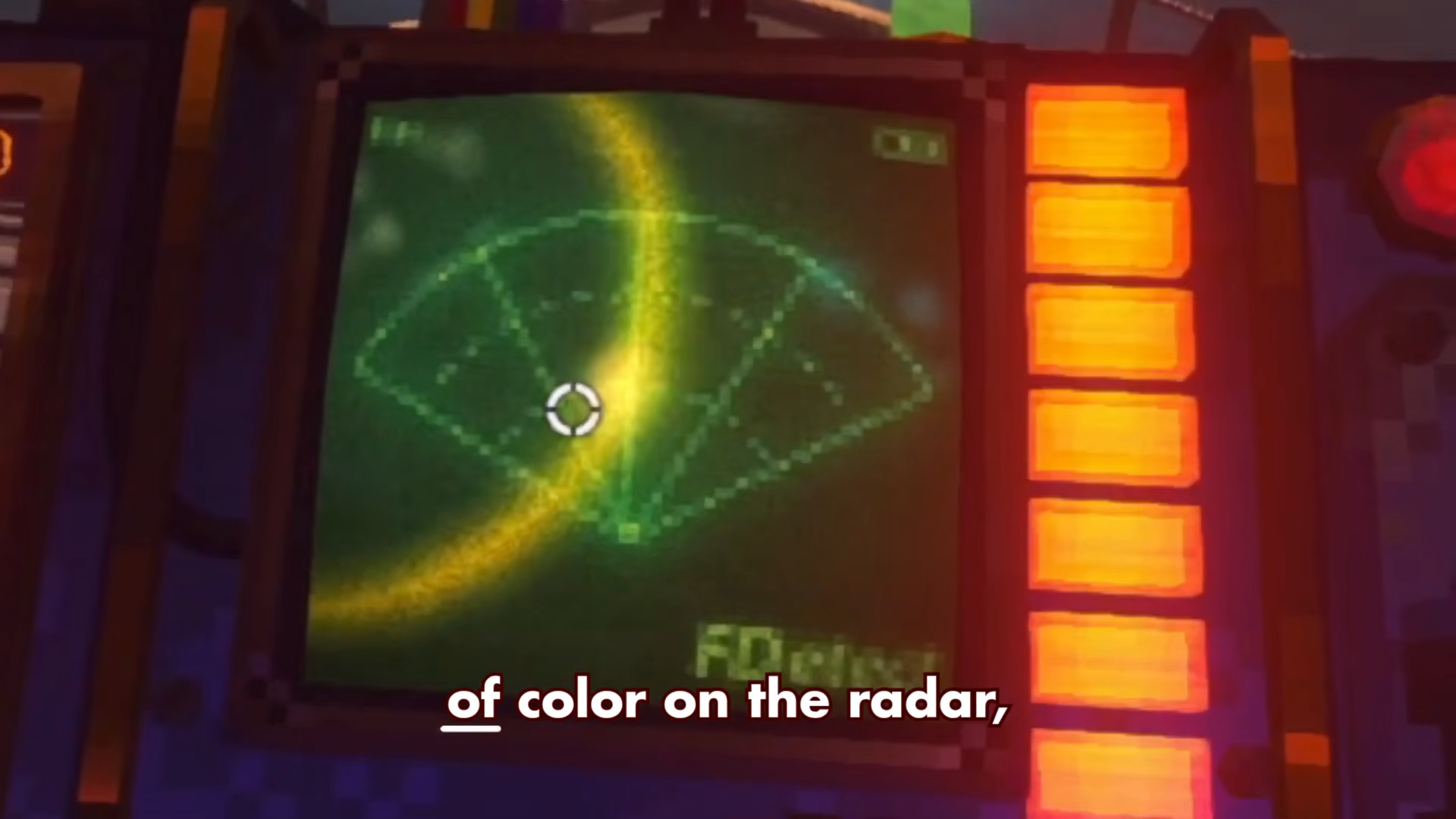
At 01:25, the video shows a boat scanner with a radar sweep and Fish Spots label. Its transcript calls colored patches fish areas and a pulsing ring a treasure location. Compare with your game’s labels and objectives; neither guarantees a catch.
The transcript reports refueling at a blue pump marker. Check fuel before a longer trip; range and consumption are unknown. Written sources give different boat names, so this page uses the generic term boat.
Choose a Rod and Improve Fishing Skills
The guides compare rods by casting range and luck. Prima also lists scanner radius as a Fishing stat and says rod quality can affect these values. Compare item descriptions; no rod is confirmed best for every goal.
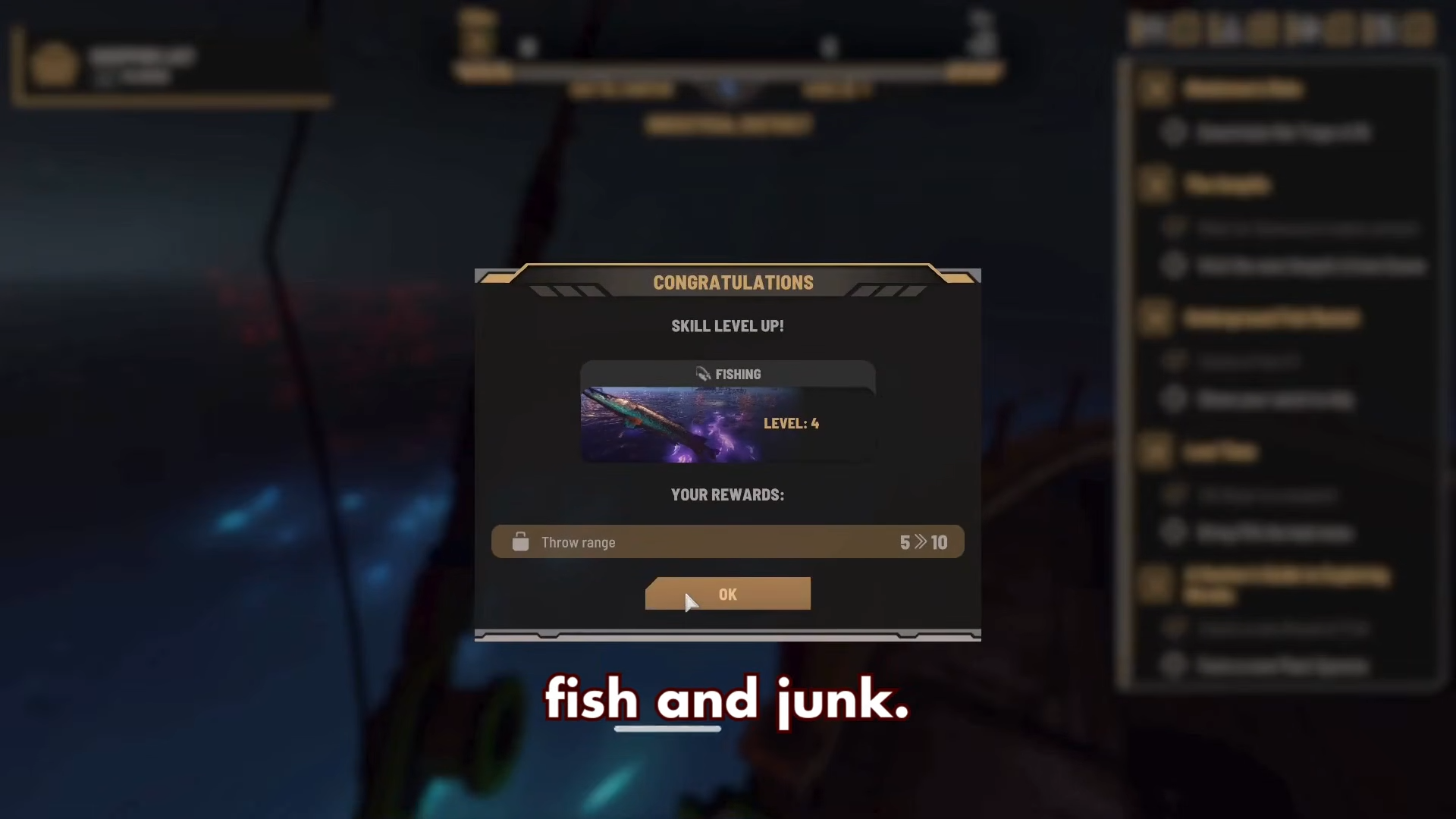
The sources report that catches and recovered items improve Fishing. At 02:20, the clip’s Level 4 popup shows Throw range changing from 5 to 10. This belongs to its unknown build; Luck and scanner-radius bonuses are guide-reported, with thresholds unconfirmed.
Before buying equipment for a species, check its Fish Log conditions. Range does not replace its reported location, time, or weather requirements. Choose equipment after checking where and when the target appears.
If you want to use a catch, read the restaurant overview and ingredient reference. For broader travel context, see the map and locations reference; it does not list verified fishing spots. Use the Fish Log to check a target’s conditions.
Keep Useful Fish and Salvage
Prima reports recoverable objects and says Ava can point to Nabla as a trinket buyer; the transcript also mentions junk. Treat the buyer route as guide-reported. Check item descriptions and objectives before selling an unfamiliar find.
The publisher FAQ connects fishing with restaurant supplies but gives no fish-to-recipe list. Check recipe and stock screens before collecting fish for a dish. The supplied materials do not identify every usable species.
Whisper reports fish in inventory can deteriorate; timing is unconfirmed. Check condition and storage after returning. No fixed price or profit is supported.
What to Check When Fishing Fails
If there is no bite, check the rod is equipped and the marker is over water. Wait for the gold or amber signal before reeling. No reliable cast timer or single cause for a miss is supplied.
For a named fish, compare Fish Log conditions before recasting. For treasure, check whether the ring matches your objective. Casting into a green ring is transcript-reported; quest triggers remain unclear.
If the objective does not change, note its text and catch, then follow the next instruction in your save. No treasure order or fix is confirmed. A catch alone does not confirm a quest step.
Details Awaiting Confirmation
The QqfrS0Rr42w clip labels the dock NPC Boardwalk Ady and shows a Rusty Fishing Rod notice; Prima also says Ady, Whisper says Addy, and transcripts say Eddie or Audi. These are clip labels, not confirmed current-build names or rewards. Written sources differ on the boat name.
The first transcript says “Valleys,” and the second mentions Eorzea and Limsa. Its sampled frames show Nivalis Nights scenes but no fishing controls, so its fishing claims are excluded. Curfew time, controller inputs, current bonuses, catch rates, locations, and spoilage timing remain unknown. The Level 4 reward is clip-specific.
This October 10 update combines supplied text with selected footage, not an independent gameplay test. Recheck names and mechanics against current screens or patch notes. Until then, follow the prompts in your save.
Sources
- Prima Games — Nivalis Nights Fishing Guide (October 5, 2026)
- Whisper of the House — Nivalis Nights Fishing Guide (user-supplied text; updated October 8, 2026)
- YouTube — How to Fish in Nivalis Nights (playback and selected frames visually checked October 10, 2026; game build unknown)
- Nivalis Nights | How to / FAQs (2026)